
Wayback Machine → WordPress restoration
Your site, restored from the Wayback Machine, back on its original URLs
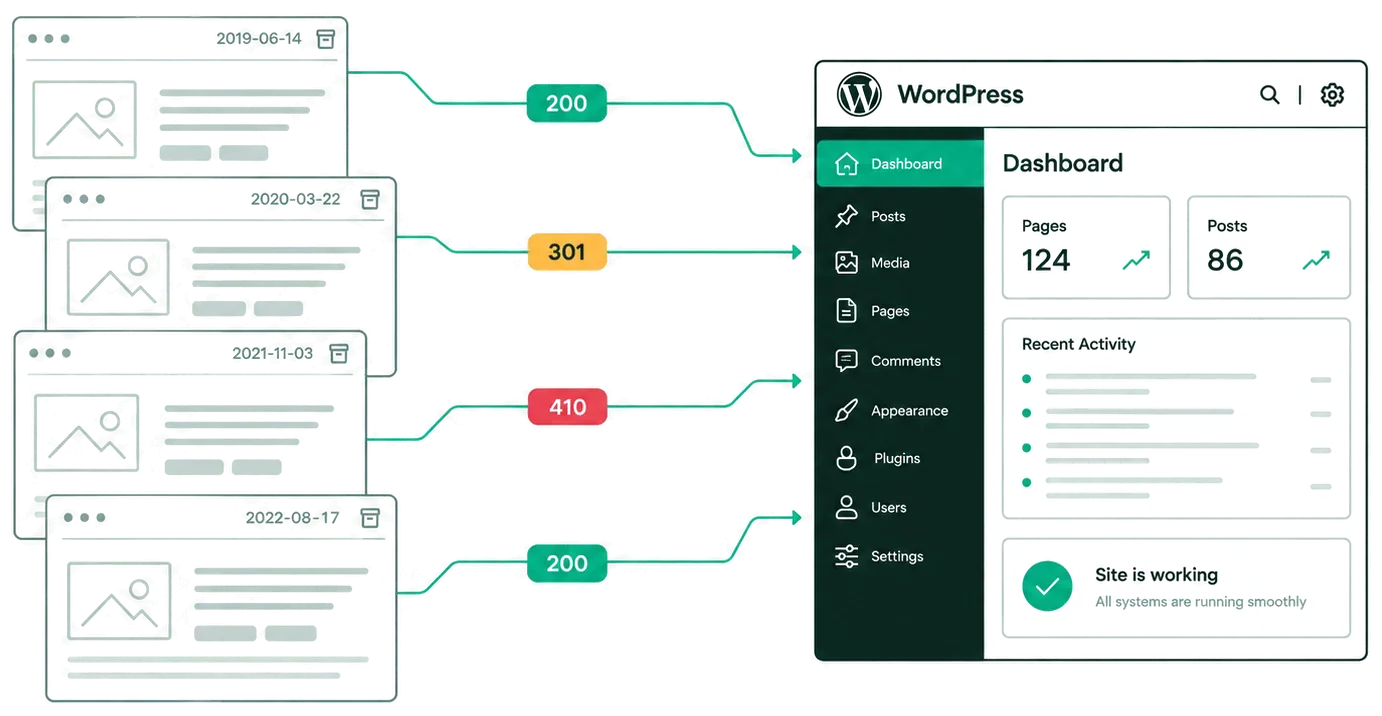
Every old address answers 200, 301 or 410 — with a reason. I restore vanished sites into working WordPress on the original URLs, ?p=123 and ?cat=5 included. White-label is in the price; a redirects.csv map and a QA report come with every package.
$99
Per site, up to 10,000 pages
2–3 days
Delivery, up to 2,000 pages
14 days
Free fixes after delivery
$0
Add-on fees, white-label included
Who it is for
Pick your situation
Resellers, PBN operators, SEO agencies and site owners order the same restoration for different reasons.
Resellers
Your client ordered a restoration from you. Your brand on the documents, and no trace of me or the archive in the site files.
Learn more →PBN operators
You bought an expired domain. The pages that links point to should answer 200 again, on the old URLs.
SEO agencies
A client’s site is gone; you need it back on the same URLs, with a report to forward.
Learn more →Site owners
Backups are lost; the Wayback Machine may still hold your pages.
Learn more →The map, not a promise
Every old address gets an honest answer
Missing pages are not sent to the homepage. Restored pages answer 200 on their own URLs; every other old address is a row in redirects.csv with its answer and the reason.
200
On the same URL
The archive saved the page
301
To the same place
The original site redirected from it, and the archive kept the redirect
410
With the reason
Not saved, saved with an error, removed at the owner’s request, or a service address such as a feed
url,status,target,reason
/
/
/
/
Real rows from a test run on info.cern.ch, 2026-10-06
Limits up front
What comes back and what does not
Content is not rewritten, and URLs are not renamed.
Comes back
- Pages and content as the archive holds them
- Posts, pages, categories, tags, pagination
- The original URLs,
?p=,?cat=,?tag=,?m=included - The original layout, as HTML blocks
- A new
sitemap.xmlandrobots.txt
Does not come back
- The original database, users, passwords, orders
- Comments the archive did not save
- Working forms: visible, but they do not send
- Site search as it used to work
- Pages the archive never saved: they answer
410with a reason
How it works
Five steps from domain to package
You see the price and the date before you pay anything.
01
Free audit
Same or next working day: pages in the archive and their years, URL structure, what looks recoverable, price and date.
02
Payment
Mellow or SWIFT. Full refund any time before work starts.
03
Restoration
My own tool rebuilds the site into WordPress on the original addresses.
04
Check
I check the result by hand. Every address gets a status and a reason.
05
Package
A ZIP with instructions, or free installation on your hosting. Then 14 days of free fixes for anything that differs from the QA report.
What you receive
What is in the package
Every package has the same files, so you know what to check.
WordPress
Site files, database dump in parts
redirects.csv
url, status, target, reason for every old address that is not a restored page: 301 or 410
qa/report.html
Recovery percentage, reason for each gap, status of your URL list, forms that do not send
qa/gaps.csv
The gaps, as a table
sitemap.xml, robots.txt
Generated for the restored site
install.md, editing.md, requirements.md
Install (EN and RU), edit, server needs. Admin login and password: unique per package, sent in the handover message
Pricing
One price, no add-ons
Sitemap, snapshot search and white-label are in the price for every site.
One site
$99per site
- Any site up to 10,000 pages or 5 GB
- White-label included
- 2–3 working days for sites up to 2,000 pages
- Free audit before you pay
Prepaid packs
from $69per site
- 5 sites — $425 ($85 each)
- 10 sites — $790 ($79 each)
- 20 sites — $1,380 ($69 each)
- Use them within 6 months; unused sites are refunded
Rush
+$30per site
- Sites up to 500 pages
- Start within 1 working day
- Delivery in 1–2 working days

Who does the work
Dmitriy Gabdrakhmanov
I run WP Service Lab alone: my own tool, then a manual check of every result.
- Sole proprietor registered in Kazakhstan
- Monday to Friday, 10:00–19:00 (UTC+5)
- Email or Telegram, no calls
- Payment: Mellow (invoice or safe deal) or SWIFT
Reviews will come from the first orders; until then: files you can check and a full refund before work starts.
FAQ
Questions before you order
Can you restore the original database?
No. The database, users, passwords and orders cannot be recovered. I restore the content, the structure and the addresses.
What if the archive missed pages?
They answer 410 with a reason in redirects.csv and qa/gaps.csv. The free audit shows what looks recoverable before you pay.
Will my client see your name?
No. The site files have no name, links, comments or metadata of mine or of the web archive. The QA report links to archive snapshots as evidence for each row; it is your working document, so you decide whether to forward it.
Who is responsible for the content rights?
You confirm that you have the right to use the restored content. DMCA contact: hello@wpservicelab.com.
How long does it take?
2–3 working days for sites up to 2,000 pages; larger sites up to 7 working days. The exact date is in the audit report, before you pay.
Will this bring back rankings or traffic?
I do not promise rankings, traffic or link equity. The original URLs answer 200 again with the old content; every other address answers honestly.
Send a domain. Before you pay, you see what the archive holds, the price and the date.
Reply the same or next working day. No calls.